OneArt
A crypto and NFT wallet designed to make Web3 feel native.
OneArt is a Venom and Ethereum wallet for DeFi and NFTs, with a built-in Web3 browser. As part of the core project team, I designed its interface from scratch — across the mobile app and a companion browser extension, in light and dark modes, on a design system built alongside the product.
View live product ↗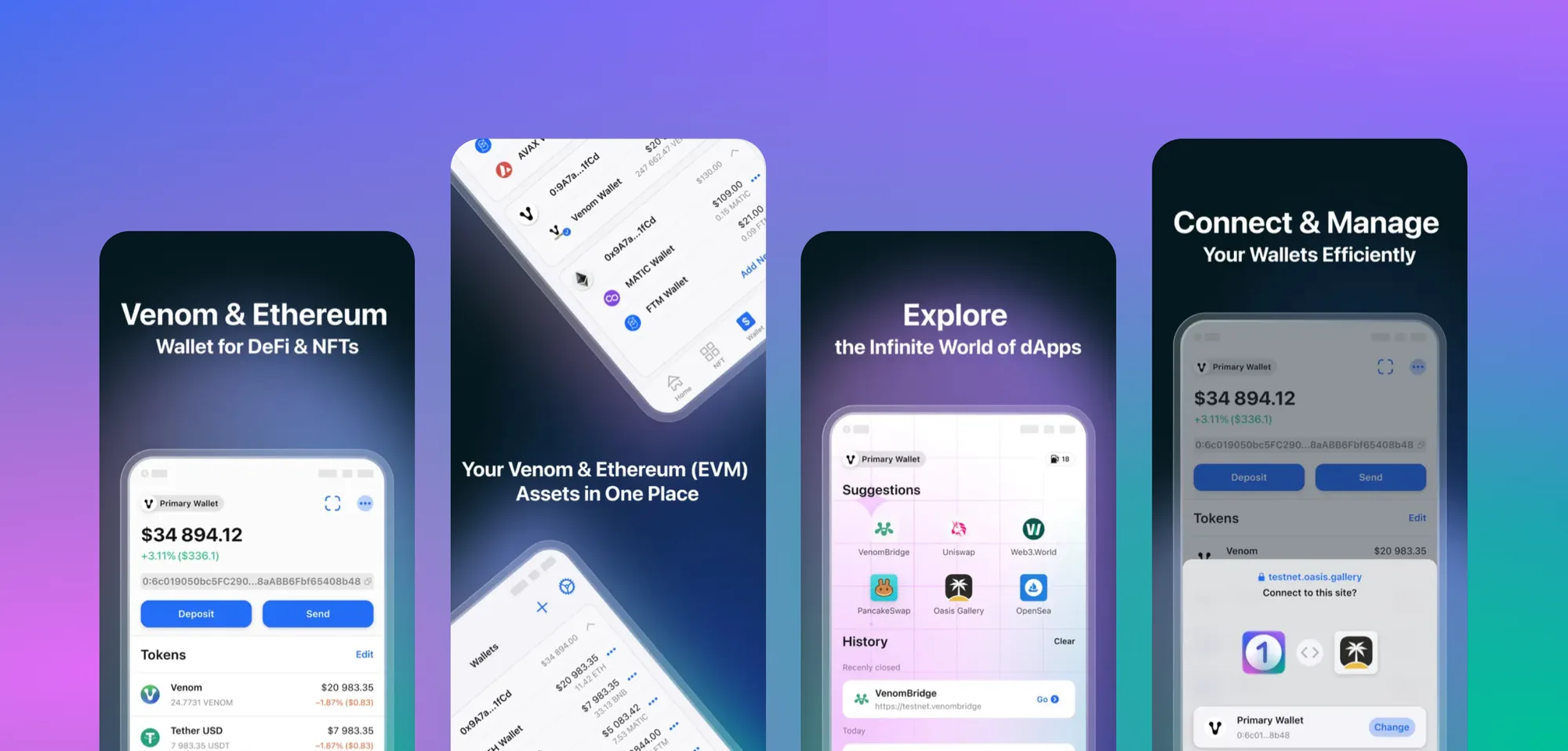
The goal was a fast, efficient crypto and NFT wallet that supports multiple blockchain networks — and, beyond that, one that makes Web3 products more accessible and understandable to a wider audience.
Web3 user experience is still a young field compared with conventional e-commerce interfaces. That is exactly what makes it worth getting right: there is room to introduce interactions that have been overlooked, and to design features that make everyday use simpler.
The overarching goal was user-friendly infrastructure across blockchains, in support of crypto and NFT mass adoption — an app people could pick up and intuitively understand, without first learning how every interaction works.
Every goal below was developed and is in use by customers:
- Send and receive crypto assets easily and securely.
- Manage assets across multiple blockchains.
- Trade tokens on an exchange.
- Trade and store NFTs.
- Discover Web3 through the in-app browser.
- Arbitrum integration, opening up new decentralised applications and transactions.
- Wallets grouped by account, making digital assets easier to organise and manage.
I was a Senior Product Designer on the core project team that built OneArt's interface from scratch. Together with the Design Lead, I took new features from ideation through prototyping and user testing to production.
- Designed across mobile (Android) and web (Chrome extension), in both dark and light modes.
- Created, supported, and improved the design system — built from scratch for Android and the web extension.
- Researched and gathered insights through user testing to make experiences smoother and clearer.
- Designed a clean, native-feeling interface on Material Design guidelines, with OneArt's own personal touches.
- Collaborated with cross-platform teams and ran brainstorming sessions to improve the existing experience.
The work started in Sketch. Later, we moved to Figma and migrated all of the interfaces and the design system across.
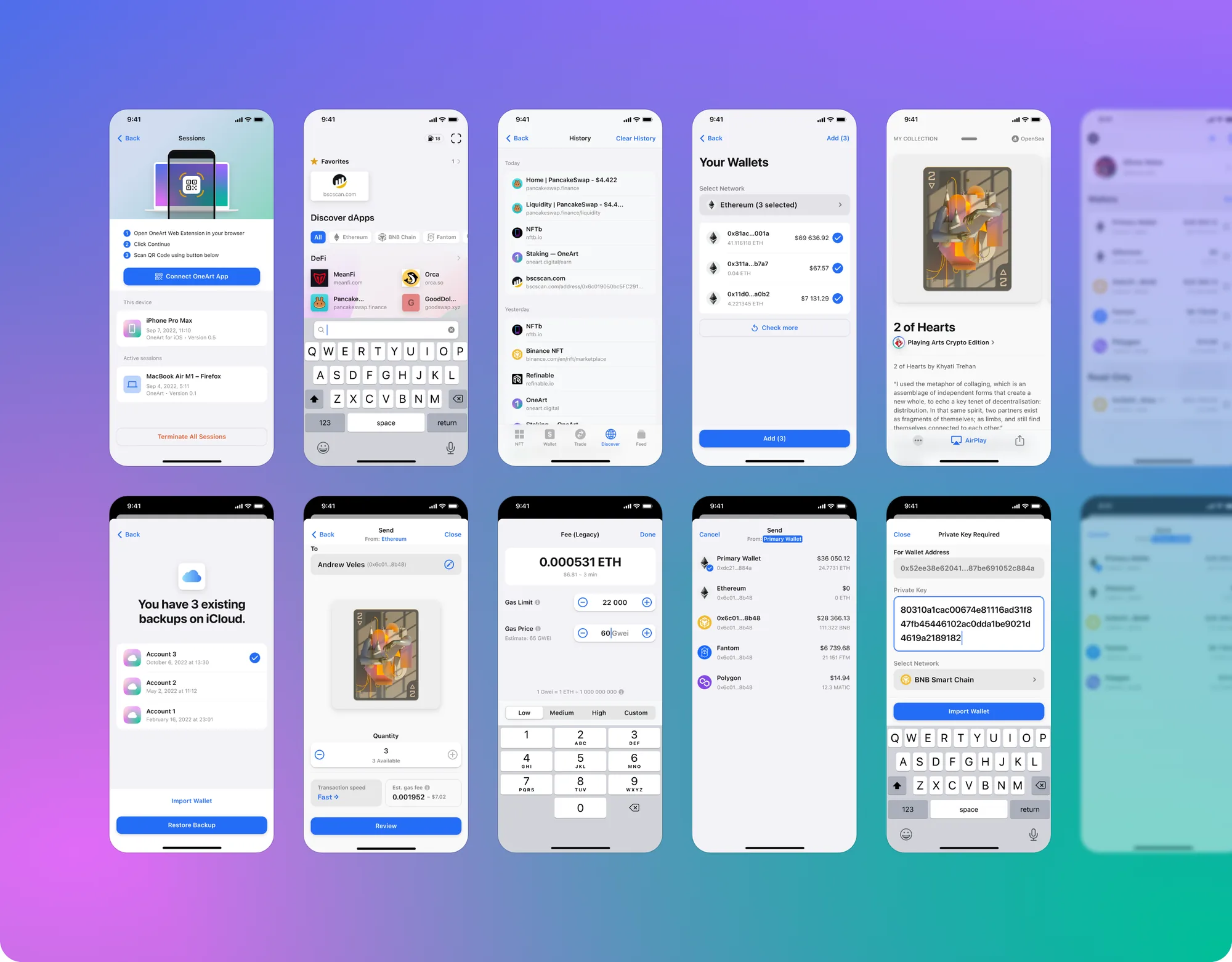
The high-fidelity mobile designs cover the core wallet journeys: managing wallets across networks, sending tokens and NFTs with control over fees, discovering dApps in the built-in browser, and restoring or importing a wallet.
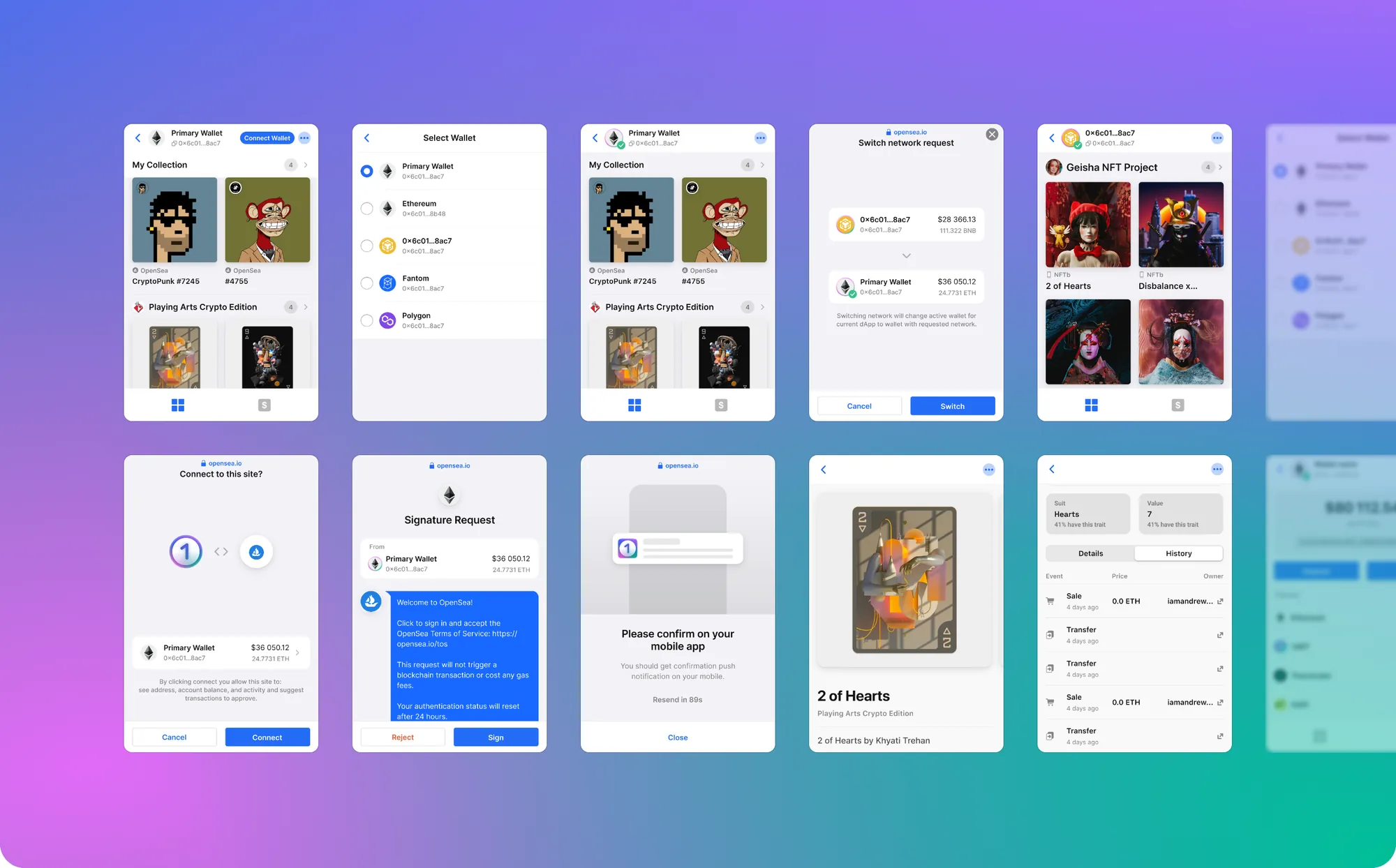
While designing the native mobile wallets, our team saw an opportunity to take the experience further. I led the design of the OneArt Web3 extension, giving users additional functionality and possibilities alongside the app.
At this stage, the extension operates in read-only mode — but it already extends the user journey from the phone to the browser.
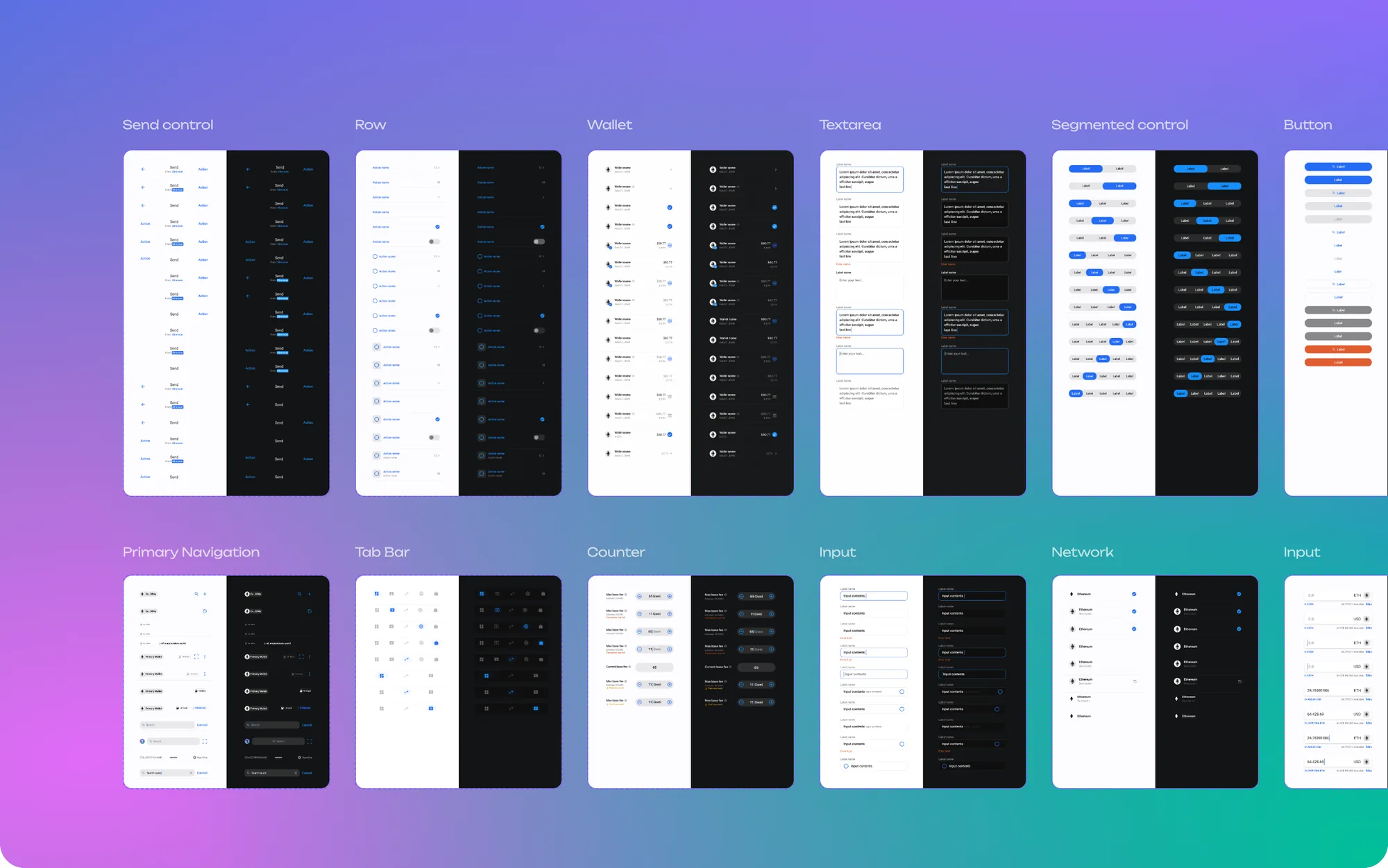
Research we referenced at the time put dark-mode usage at as many as 81.9% of smartphone users. In response, we made the wallet interfaces adaptive: every component in the system has both a light and a dark version.
I built the system from scratch for Android and the web extension, then supported and extended it as the product grew.
The Android version of the wallet (beta) was released and is available on Google Play.
Users responded positively to the app's design — and on the strength of the MVP apps, OneArt became an exclusive partner of Venom.