Stealthy VPN
A private VPN app with a character of its own.
Stealthy VPN – Private Proxy keeps people's connection to the internet safe and private in any circumstances. I designed the cross-platform app from scratch — the UX, the UI, and a chameleon character that became the face of the product.

- Keep data safe first. Connect to a fast VPN in over 100 locations, so people stay confident their data is safe online.
- Provide unlimited traffic. Use the VPN for as long as needed, with unlimited internet traffic.
- Keep personal data private. The app doesn't store personal data, so users stay anonymous and their history can't leak.
- Created the UX and UI for the cross-platform app from scratch.
- Conducted UX research and built the information architecture.
- Invented the chameleon character that became the main face of the product.
- Produced the graphic materials the project needed.
- Collaborated with the marketing and development teams.
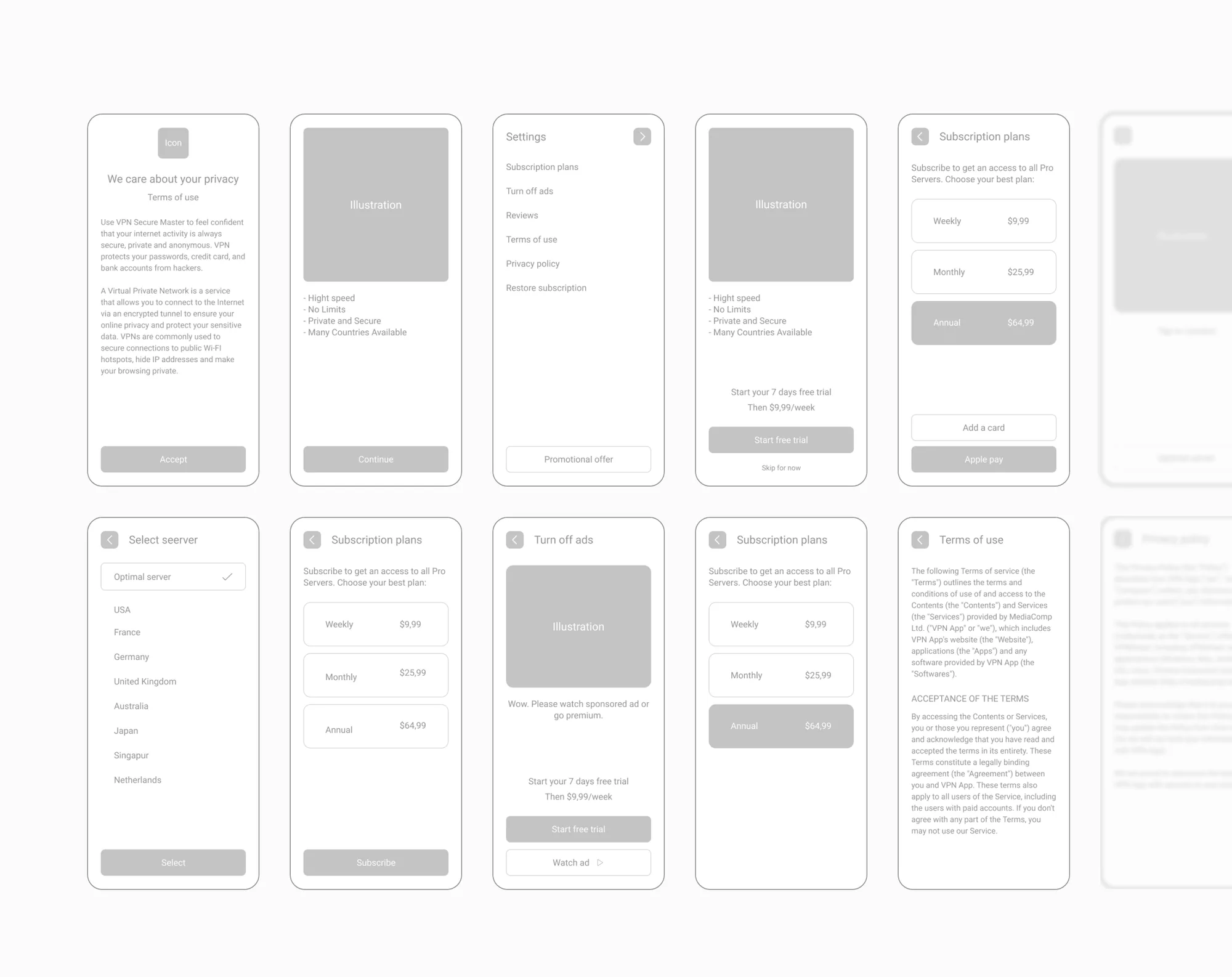
I mapped the whole flow in low fidelity first: privacy consent, onboarding, connection, server selection, subscription plans, the ad-supported free option, and settings.
- Make the visual design completely distinct from the existing competition.
- Humanise the interface with illustrations and unique icons — starting with a main character as the face of the app.
- Keep the UI simple enough to understand on instinct: any feature in a couple of taps, and a secure connection in about two seconds.
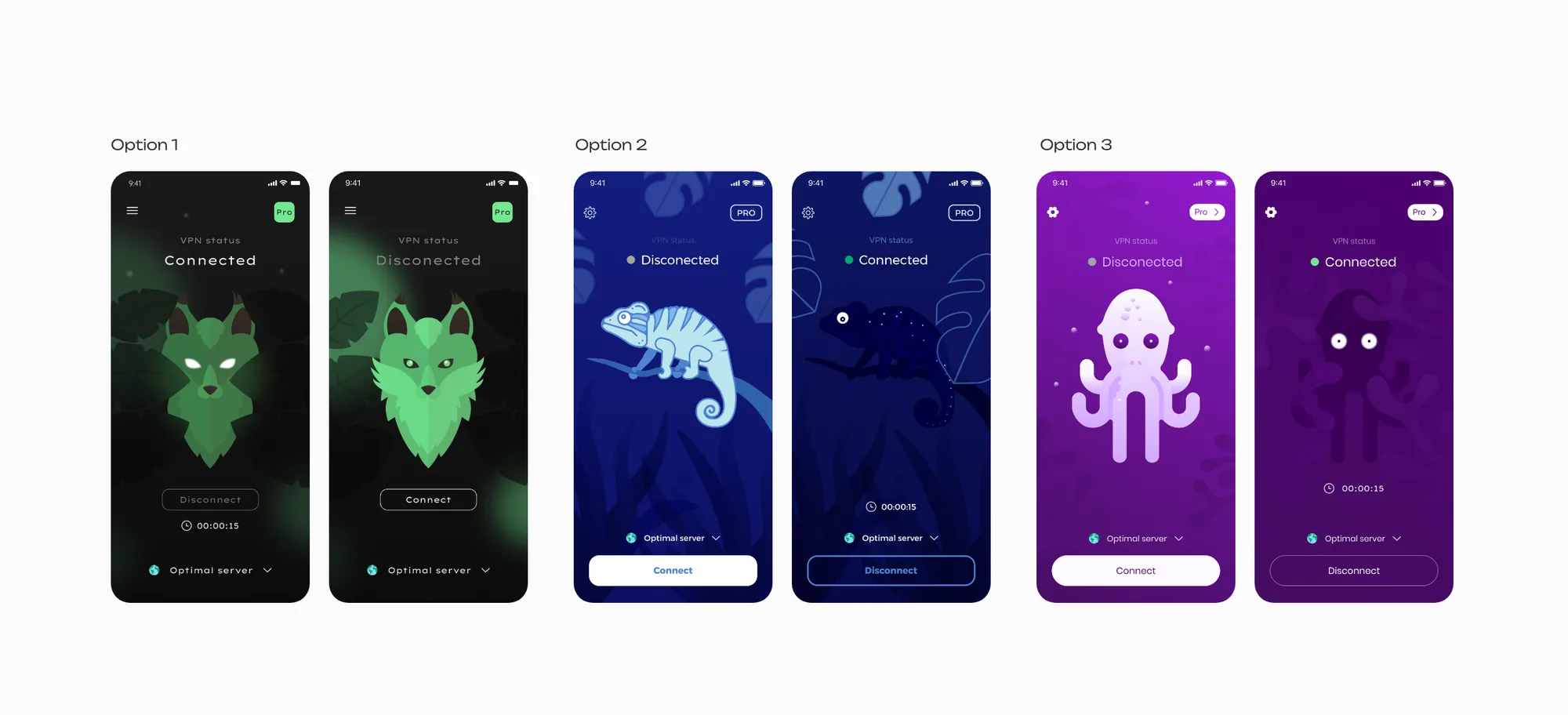
I explored three visual directions, each built around a different character — a wolf on dark green, a chameleon on deep blue, and an octopus on purple — and showed each one disconnected and connected. The chameleon direction went on to become the final design.
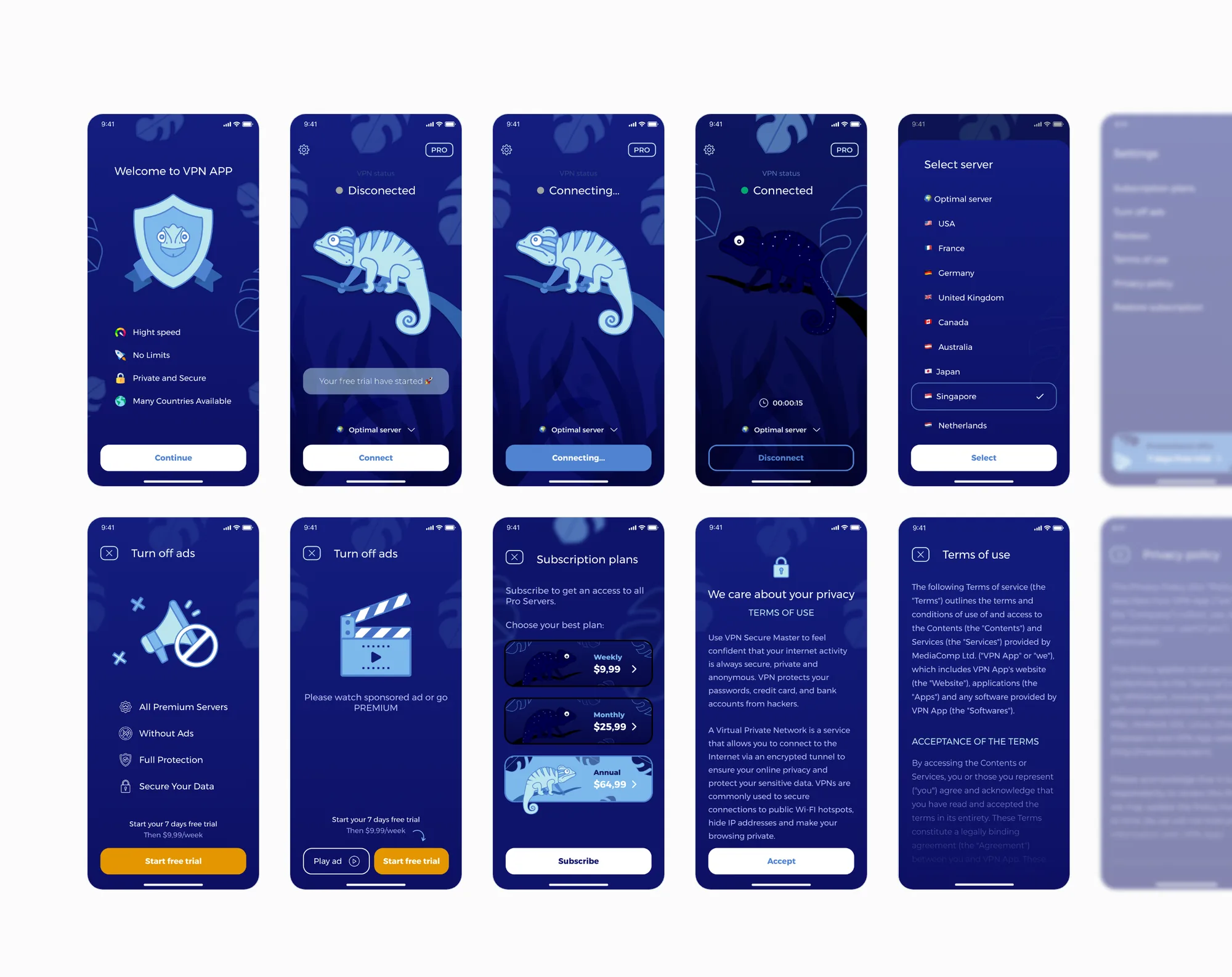
In the final design, the chameleon carries the connection state: light while disconnected and connecting, and dark once the connection is secure.
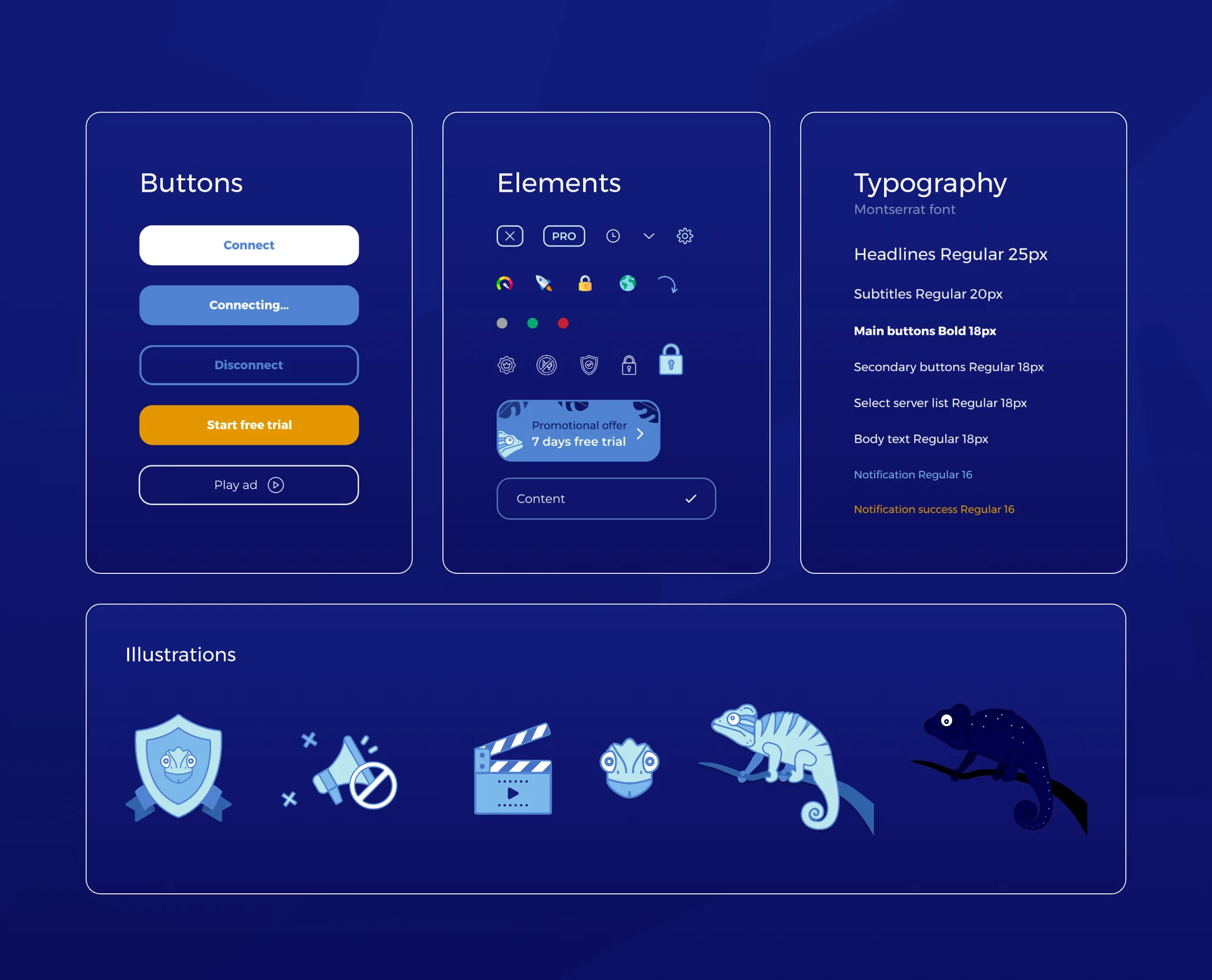
A compact visual kit kept the app consistent: button states from Connect to Disconnect, the free-trial and ad calls to action, icons and status elements, a Montserrat type scale, and the illustration set built around the chameleon.